LinkedIn is widely recognized as a platform for networking, job hunting, and professional development. However, one of its most underrated features—Job Alerts—holds immense potential for LinkedIn Lead Generation.
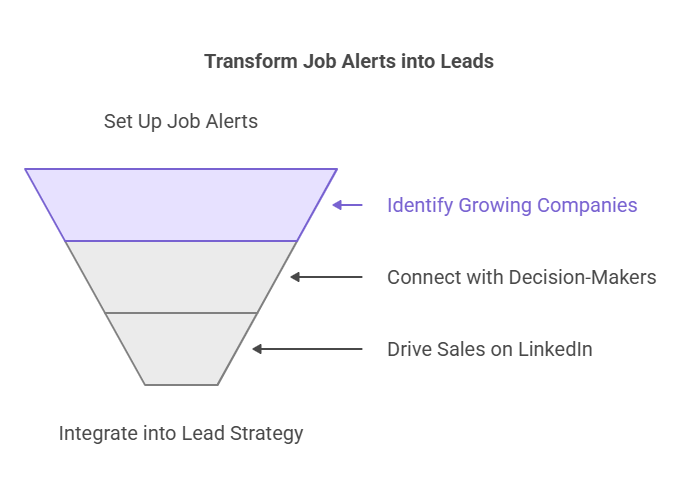
While most professionals focus on cold messaging or content marketing, Job Alerts offer a unique way to identify growing companies, connect with decision-makers, and drive Sales on LinkedIn. In this comprehensive guide, we’ll explore how to turn Job Alerts into a consistent source of high-quality leads and integrate them into your Lead Generation Strategy.
Why Job Alerts Are a Game-Changer for LinkedIn Lead Generation
Job Alerts aren’t just for job seekers—they’re a goldmine for businesses looking to generate leads. Here’s why they’re so effective:
- Hiring Signals Growth: Companies posting jobs are often in a phase of expansion, launching new projects, or increasing investment. These companies are more likely to need new tools, services, or partnerships, making them ideal leads.
- Real-Time Insights: Job Alerts provide instant updates on hiring trends, allowing you to act quickly and stay ahead of competitors.
- Targeted Outreach: By focusing on companies actively hiring, you can tailor your pitch to their immediate needs, increasing your chances of success.
- Access to Decision-Makers: Job postings often include the hiring manager’s name or department, giving you a direct line to key stakeholders.

How to Set Up Job Alerts for LinkedIn Lead Generation
Setting up Job Alerts is straightforward, but the real value lies in how you use them strategically. Here’s a step-by-step guide to getting started:
1. Define Your Target Audience
- Use LinkedIn’s advanced search filters to focus on industries, job titles, and locations relevant to your business. For example, if you’re selling marketing software, target roles like “Marketing Manager” or “Digital Marketing Specialist.”
- Pro Tip: Use Boolean search operators to refine your results. For example, search for “Marketing Manager” AND “SaaS” to find companies in your niche.
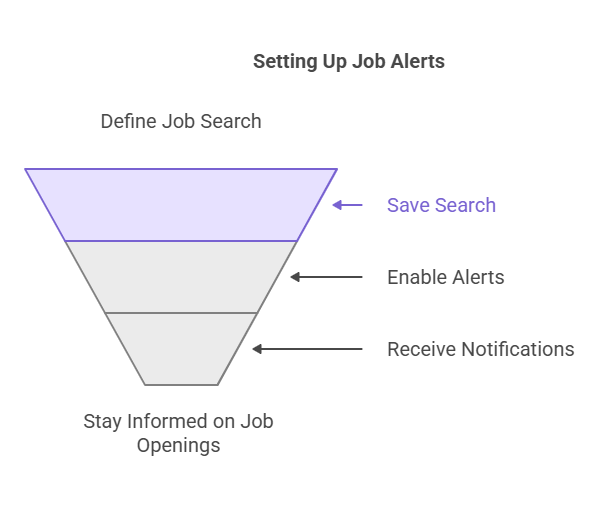
2. Create and Save Alerts
- Once you’ve defined your search, save it and enable Job Alerts. LinkedIn will notify you via email or in-app notifications whenever a new job matching your criteria is posted.
- Pro Tip: Set up multiple alerts for different roles or industries to cast a wider net.
3. Research the Company
- When you receive an alert, take the time to research the company. Look for key details like:
- The company’s size, industry, and recent news.
- The hiring manager’s name and LinkedIn profile.
- Any pain points or challenges your product or service can address.
- Pro Tip: Use tools like LinkedIn Sales Navigator to gain deeper insights into the company and its employees.
4. Engage with LinkedIn Connections
- Reach out to the hiring manager or other relevant employees with a personalized message. Highlight how your solution aligns with their hiring goals or addresses a specific challenge.
- Pro Tip: Reference the job posting in your message to show that you’ve done your homework.
Turning Job Alerts into a Winning Lead Generation Strategy
Job Alerts are just the starting point. To convert these insights into leads, you need a clear and actionable strategy. Here’s how to make it work:
1. Personalize Your Outreach
- Generic messages rarely get results. Use the information from the job posting to craft a tailored message. For example:
- If the company is hiring a “Sales Operations Manager,” mention how your CRM tool can streamline their sales processes.
- If they’re hiring a “Content Marketing Specialist,” highlight how your content creation platform can save them time and resources.
2. Focus on Decision-Makers
- While it’s tempting to reach out to anyone at the company, focus on hiring managers, department heads, or executives. These individuals are more likely to have the authority to make purchasing decisions.
- Pro Tip: Use LinkedIn’s “People Also Viewed” feature to identify other key stakeholders at the company.
3. Offer Value Upfront
- Instead of pitching your product immediately, share insights or resources that address their current challenges. For example:
- Send a case study or whitepaper relevant to their industry.
- Offer a free consultation or demo to show how your solution can help.
- Pro Tip: Use tools like HubSpot to track engagement and follow up with leads who show interest.
4. Track and Optimize
- Monitor your outreach efforts to see what works and what doesn’t. Track metrics like response rates, meeting bookings, and conversions.
- Pro Tip: Use a CRM like Salesforce to organize your leads and automate follow-ups.
Real-World Example: LinkedIn Lead Generation in Action
A SaaS company specializing in HR software used Job Alerts to identify companies hiring HR managers. By targeting these companies with personalized messages about their recruitment automation tools, they achieved a 30% increase in qualified leads within three months. This approach not only streamlined their Lead Movement but also strengthened their LinkedIn Connections.
Advanced Tips for Maximizing Job Alerts
To take your LinkedIn Lead Generation to the next level, consider these advanced strategies:
1. Monitor Competitors
- Set up Job Alerts for your competitors to see where they’re hiring. This can give you insights into their growth plans and help you identify potential clients who may be looking for alternatives.
2. Leverage LinkedIn Groups
- Join LinkedIn Groups related to your industry and participate in discussions. This can help you build relationships with potential leads and establish yourself as a thought leader.
4. Stay Consistent
- Lead generation is a long-term game. Set aside time each week to review Job Alerts, research companies, and engage with potential leads.
Common Mistakes to Avoid
While Job Alerts can be a powerful tool, there are some common pitfalls to watch out for:
- Sending Generic Messages: Personalization is key. Avoid using templates without tailoring them to the recipient.
- Ignoring Follow-Ups: Many leads require multiple touchpoints. Use tools like Mailshake to automate follow-ups.
- Overlooking Smaller Companies: Don’t focus solely on large enterprises. Smaller companies may have more immediate needs and faster decision-making processes.
Integrating Job Alerts into Your Overall Lead Generation Strategy
Job Alerts shouldn’t exist in isolation—they should be part of a broader Lead Generation Strategy. Here’s how to integrate them:
- Combine with Content Marketing: Share valuable content on LinkedIn to build trust and establish your authority. For example, post articles or videos about industry trends or solutions to common challenges.
- Use Paid Advertising: Complement your Job Alerts strategy with LinkedIn Ads to reach a wider audience. Target specific industries, job titles, or company sizes.
- Leverage Email Campaigns: Use the insights from Job Alerts to create targeted email campaigns. For example, send a series of emails highlighting how your solution can support a company’s growth.
Final Recommendation
Job Alerts are a game-changer for LinkedIn Lead Generation, but their success depends on how you use them. Start by setting up targeted alerts, researching companies, and engaging with decision-makers through personalized outreach. By integrating Job Alerts into your Lead Generation Strategy, you can unlock a consistent pipeline of high-quality leads.
Frequently Asked Questions (FAQ’s)