You’ve probably seen them—those swipeable, multi-slide posts that stop you mid-scroll. LinkedIn carousels aren’t just another trend; they’re one of the most effective ways to get your content seen, shared, and remembered.
But here’s what most professionals don’t realize: Carousels work because they align perfectly with how people actually use LinkedIn today. Think about your own scrolling habits—when you’re quickly checking your feed between meetings, are you more likely to stop for a long text post or an engaging visual story you can swipe through?
The numbers don’t lie. While average LinkedIn posts struggle to break 1-2% engagement rates, carousels consistently hit 3-5% or higher. That difference might not sound dramatic, but when you consider that just a 1% increase can mean hundreds more profile views and dozens of new connections, the impact becomes clear.
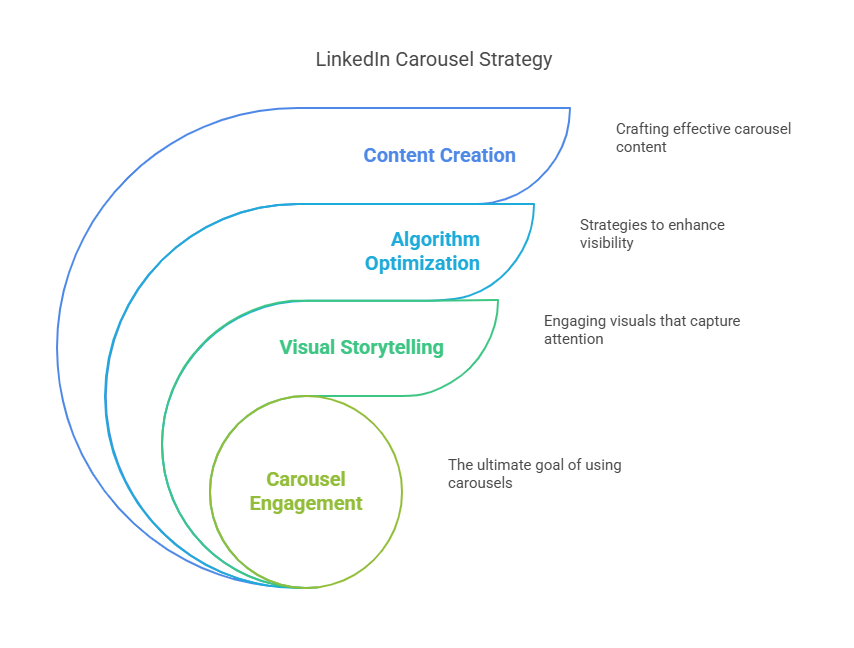
In this guide, we’ll break down exactly why carousels have become such a powerful tool for professionals looking to expand their reach. You’ll learn not just how to create them, but how to optimize every element to work with the LinkedIn algorithm rather than against it.
Why the LinkedIn Algorithm Favors Carousels
LinkedIn’s algorithm isn’t a mystery—it’s designed to reward content that keeps users active on the platform. And carousels check every box:
They Increase Dwell Time
When someone swipes through your carousel, it signals to LinkedIn that your content is worth their time. The longer they engage, the more the algorithm pushes your post to others.
This is where carousels have a unique advantage. Unlike a video where viewers might drop off after a few seconds, or a text post that gets skimmed in two seconds flat, carousels naturally encourage deeper engagement. Each swipe is another moment of attention that tells LinkedIn “this is good content.”
They Drive More Interactions
Carousels naturally encourage likes, comments, and shares because they’re interactive. Each swipe is a micro-commitment that makes viewers more likely to engage.
There’s also a psychological factor at play here. When someone invests time swiping through your content, they feel more connected to it—which makes them more likely to leave a comment or tag a colleague. This creates a virtuous cycle where initial engagement leads to more visibility, which leads to even more engagement.

They’re Highly Shareable
Professionals often save carousels for later or share them with colleagues—another strong signal to the algorithm that your content is valuable.
What makes this particularly powerful is that when someone shares your carousel, it doesn’t just appear in their network’s feed—it often comes with an endorsement like “This is brilliant” or “Swipe through this if you’re struggling with X.” That kind of organic recommendation is marketing gold.
The LinkedIn algorithm particularly rewards carousels because they satisfy its core ranking factors better than other formats. When you create LinkedIn carousels that maintain high completion rates (60%+), you’re essentially giving the algorithm exactly what it wants – content that keeps professionals engaged longer.
This explains why carousels consistently outperform other post types in organic reach, making them essential for any serious LinkedIn content marketing strategy.
Real-World Example:
A marketing consultant tested two versions of the same post—one as a carousel, the other as text. The carousel got 4x more engagement and 12 new leads in a week. The text post? Barely any traction.
LinkedIn Carousels vs. Other Post Types
Not all content performs equally. Here’s how carousels compare:
Text Posts
While text posts have their place for quick thoughts or opinions, they face an uphill battle in today’s visual-first LinkedIn environment. The cold truth is that most text posts get scrolled past unless they’re exceptionally provocative or come from someone with an already large following.
Single Images
Single images work well for announcements or simple infographics, but they lack the depth needed for educational content. They’re like billboards—good for making one quick point, but not for telling a complete story.
Videos
Videos can be powerful for tutorials or demonstrations, but they come with significant drawbacks. Many professionals scroll LinkedIn with sound off, and video production requires more time and resources than most busy professionals can consistently commit.
Carousels
This is where carousels shine. They combine the visual appeal of images with the substance of long-form content in a format that’s perfectly suited for professional audiences.
What sets LinkedIn carousels apart is their unique ability to deliver complex information in an easily digestible format. Unlike videos that require sound or long articles that demand sustained attention, carousels respect the modern professional’s scrolling habits while still delivering substantial value.
This perfect balance is why they achieve superior LinkedIn content engagement compared to other formats, especially when combined with strong LinkedIn strategies for visual storytelling.
Case Study:
A SaaS company turned a blog post into a carousel. The blog got 300 reads in a month. The carousel? 2,500+ engagements in a week and 45 demo requests. That’s the power of the right format.
How to Measure LinkedIn Content Marketing ROI
Creating carousels is just the beginning. To maximize their impact, you need to track what’s working. Here’s the framework we use:
The Engagement Funnel
- Impressions: How many saw your post
- Engagement Rate: (Likes + Comments + Shares)/Impressions
- Completion Rate: % who viewed all slides
- Click-Through Rate: % who clicked your link
- Lead Conversion: Profile visits, connection requests, DMs
Benchmarks for Success:
- Good: 3% engagement, 1.5% CTR
- Great: 5% engagement, 3% CTR
- Exceptional: 7%+ engagement, 4%+ CTR
Tracking Tools
- LinkedIn Native Analytics: Provides baseline metrics
- UTM Parameters: Track website traffic sources
- CRM Tags: Identify leads from specific carousels
Tracking your LinkedIn content marketing ROI from carousels becomes especially powerful when you correlate engagement metrics with business outcomes. For instance, a carousel with 5% engagement that generates 10 leads is clearly outperforming one with 7% engagement that produces no conversions. The LinkedIn algorithm may reward both, but only one delivers real business value – proving why smart measurement should go beyond vanity metrics.
Real Example:
A consultant tracked a carousel on negotiation tactics:
- 4.3% engagement rate
- 68% completion rate
- 2.9% CTR
- 7 consultation requests
This data helped her double down on what worked and adjust what didn’t.
LinkedIn Strategies for High-Performance Carousels
Creating effective carousels is both art and science. Here’s what works:
First Slide Rules
Your opening slide needs to:
- Pose an intriguing question (“What’s your $10,000 LinkedIn mistake?”)
- State a bold claim (“90% of professionals waste their first three slides”)
- Use clean, professional visuals
Optimal Structure
- Slide 1: Hook
- Slides 2-5: Value delivery
- Slide 6: CTA
Pro Tip: Place your strongest point on Slide 3—analytics show this is when engagement peaks.
Timing Matters
Post carousels:
- Tuesday-Thursday
- 8-10 AM or 12-2 PM (local time)
- Avoid Fridays and weekends
The most effective LinkedIn strategies for carousels combine psychological triggers with platform-specific best practices. For example, using the color blue (associated with trust) in financial services carousels or orange (energy) for creative fields can subconsciously boost LinkedIn content engagement. These subtle optimizations, when combined with strong hooks and clear CTAs, create carousels that both the algorithm and your target audience love.
Advanced Engagement Techniques
Take your carousels further with these pro strategies:
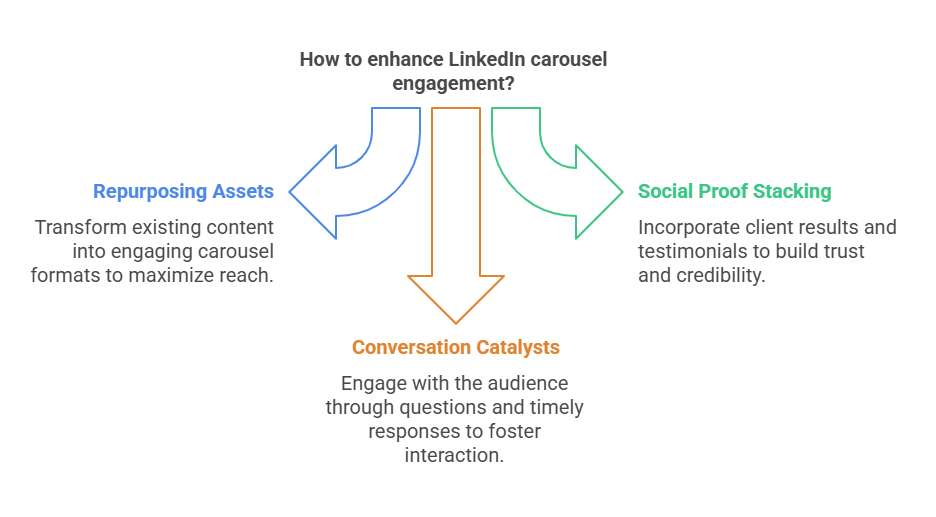
The Repurposing Engine
Transform existing assets:
- Webinars → “Key Takeaways” carousels
- Blog posts → “5-Minute Guides”
- Case studies → “Before/After” stories
Social Proof Stacking
Include:
- Client results (“Increased conversions by 37%”)
- Testimonials (with permission)
- Media features
Conversation Catalysts
- Ask questions on Slides 3 and 6
- Reply to every comment within 2 hours
- Tag relevant connections
To truly maximize LinkedIn content engagement with your carousels, consider the 80/20 rule of content repurposing. Spend 20% of your effort creating an in-depth piece (like a whitepaper or webinar) and 80% repurposing it into multiple carousel variations. This approach not only satisfies the LinkedIn algorithm’s preference for fresh content but also allows you to test which angles resonate best with your audience across different formats.
Final Recommendations
- Start with one carousel weekly—consistency beats quantity
- Repurpose first—mine your best existing content
- Engage relentlessly—comments extend visibility
- Track everything—double down on what works
- Iterate and improve—test different approaches
As you implement these LinkedIn strategies, remember that the algorithm favors consistency over sporadic bursts of activity. Building a sustainable carousel routine – whether that’s one per week or two per month – will yield better long-term results than occasional viral hits. Track your LinkedIn content marketing ROI at each step to identify what types of carousels deliver the best engagement-to-effort ratio for your specific goals.
Carousels aren’t magic—they’re just the most algorithm-friendly way to deliver value on LinkedIn today.
Frequently Asked Questions (FAQ’s)